
Ask CargoFlow AI
Review exceptions with Signal.
Ask Signal to summarize a shipment or draft an update from records available to your role. Review the source file before sharing a response or confirming a change.
Explore workspace controls →
Freight software for the people running the file. Connect shipments, documents and customer updates, and see which handoff needs your attention.
Platform
Choose the part of the operation you manage. Each guide shows the records, responsibilities and handoffs involved.
Shipment lifecycle
From a quote to a reconciled shipment, each stage carries its references into the next. Ocean, air and LCL groupage workflows depend on the modules enabled for your team.
Use the enabled rates, procurement, quotation and commercial pipeline workflows to organize a request before it becomes an active shipment. Keep quote status and planning work connected so an accepted quote has a clear operational follow-up.
Explore commercial operationsKeep purchase-order references and supplier readiness alongside pre-shipment information. Use existing intake tools, booking and capacity workflows where enabled, then carry the relevant references into the shipment. Multi-PO and multi-container files retain their relationships.
Explore import operationsFollow shipment parties, routing legs, references and dates across ocean, air and final-mile work. Ocean containers, LCL/groupage and air-specific information stay in their appropriate workflows. Available air tools include AWB-prefix airline identification and dimensional-weight context.
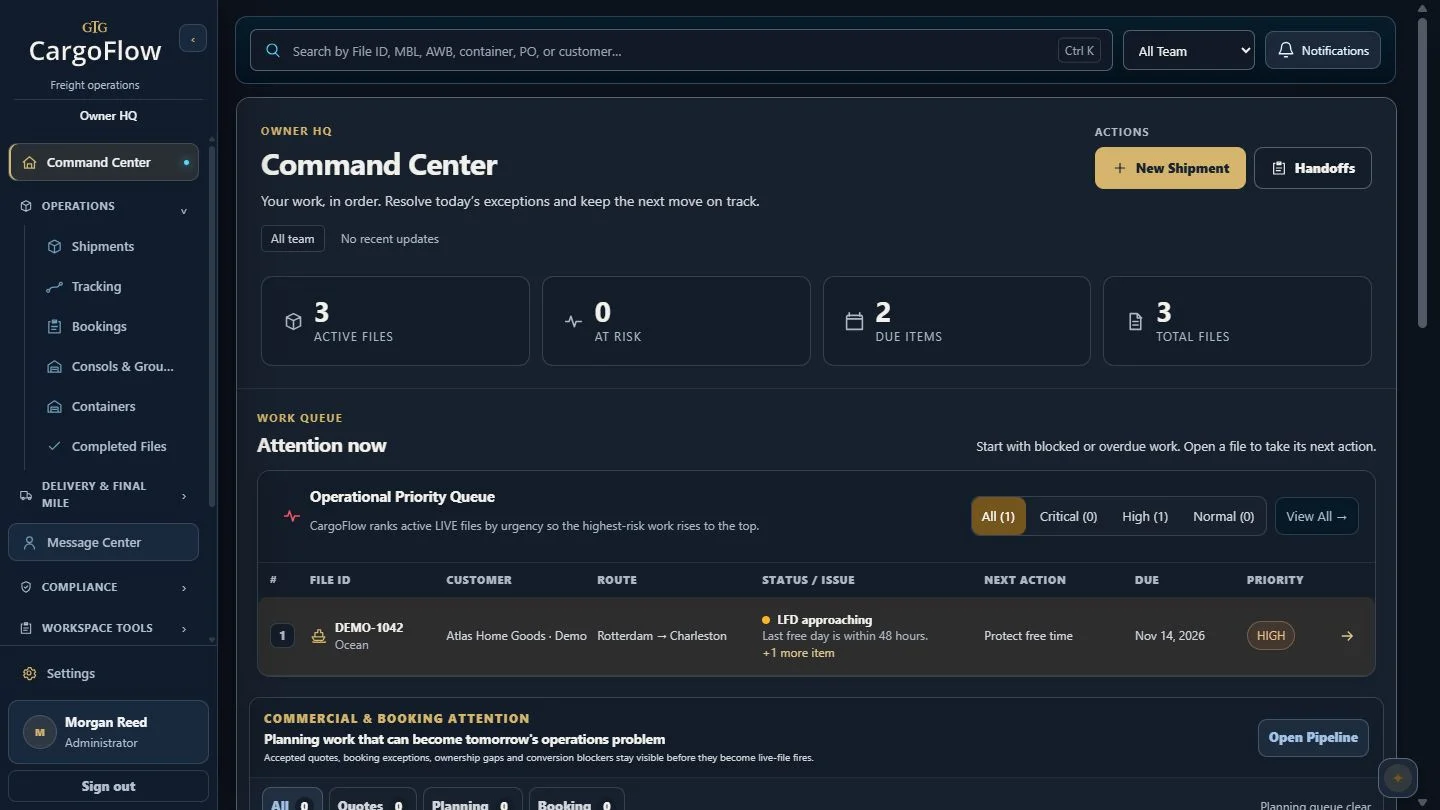
Explore the operating workspaceReview planned and actual movement dates, routing and container context. Owner HQ brings time-sensitive work such as approaching free time, missing release information or overdue follow-up into focus. Open the underlying shipment to review and act.
Explore shipment visibilityOrganize uploaded files, review processing or quarantine status and prepare supported shipment documents. Keep broker packets, acknowledgements, tasks, approvals and conversations attached to the file. Supplier, carrier and customer workspaces retain their separate permissions.
Explore documents and readinessReview customs, carrier and facility release information before final-mile execution. Keep delivery appointments, required delivery documents, costs, billing readiness and accounting handoff in context. Complete the configured closeout checks without losing the shipment’s history.
Explore release and billing workAsk CargoFlow AI
Ask Signal to summarize a shipment or draft an update from records available to your role. Review the source file before sharing a response or confirming a change.
Explore workspace controls →Customer access
Customers see their authorized shipments, documents and conversations. Operators retain internal notes and responsibility for releasing files.
Read the security guide →Product films
The original introduction and longer walkthrough show the earlier interface.
Follow a file from request to closeout across 21 chapters.
Watch 19-minute walkthroughRead the operations handbook →Plans and access
GTG confirms the plan, pricing, billing interval and term in your order form. Request a walkthrough to discuss the modules and rollout your team needs.
Read the customer agreementProvider connections depend on your workspace configuration and credentials. The handbook identifies live capabilities, setup-dependent connections and planned work.
Check integrationsOpen app.cargoflowdg.com with your existing account or customer invitation.
Talk with CargoFlow
Describe one workflow you want to improve. The CargoFlow team will follow up by email to discuss your requirements.
contact@